用VueJS和Fastapi通过websocket实现进度条追踪
简介
在我们的应用小程序中,我们是前后端分离的。前端页面只负责渲染,而后端需要处理数据。但是如果遇到数据量很大的情况下,我们处理起来就很缓慢,如果我们想通过 AJAX 的方法追踪后台数据变化的进度,需要用到轮询的方案,这个是非常消耗资源的。这里我们用 VueJS 和 Fastapi 的小例子演示前端传递数据,后台用 10 秒处理数据并实时反应进度给前台的实现。
后端 Fastapi
因为后端写起来相对简单,我们先写个后端
新建my-fastapi目录,然后新建main.py文件,代码如下所示:
1
2
3
4
5
6
7
8
9
10
11
12
13
14
15
16
17
18
| from time import sleep
from fastapi import FastAPI, WebSocket
app = FastAPI()
@app.websocket("/ws")
async def websocket_endpoint(websocket: WebSocket):
await websocket.accept()
while True:
data = await websocket.receive_json()
for i in range(10):
sleep(1)
await websocket.send_json({"data": "", "time": (i+1)*10})
jieguo = data['input'] + " finished!"
await websocket.send_json({"data": jieguo, "time": 100})
|
前端
前端用 Vuejs+NaiveUI 实现:
创建一个 Vite 项目:
1
| npm create vite@latest my-vue-app -- --template vue
|
安装 Naive-UI
1
| npm i -D naive-ui vfonts
|
将src/app.vue 中的内容删除,替换成下面的:
1
2
3
4
5
6
7
8
9
10
11
12
13
14
15
16
17
18
19
20
21
22
23
24
25
26
27
28
29
30
31
32
33
34
35
36
37
38
39
40
41
42
43
44
45
46
47
48
49
50
51
52
53
| <script setup>
///UI
import {
NButton,
NInput,
NSpace,
NH1,
NProgress,
useThemeVars,
} from "naive-ui";
import { onMounted, ref } from "vue";
import { changeColor } from "seemly";
/// 绑定数据
const data = ref("");
const tm = ref("");
const inputData = ref("");
/// 建立持久通信
const connection = new WebSocket("ws://localhost:8000/ws");
const themeVars = useThemeVars();
///这里用来向后端发送Json数据,注意要转换为字符串格式 JSON.stringify()
const submit = () => {
connection.send(JSON.stringify({ input: inputData.value }));
};
/// 这里接收数据,注意要把字符串格式的JSON解析为json对象 JSON.parse()
onMounted(() => {
connection.onmessage = function (e) {
const backData = JSON.parse(e.data);
data.value = backData.data;
tm.value = backData.time;
};
});
</script>
<template>
<n-space justify="center" vertical>
<n-h1 style="text-align: center;">Hello {{ data }}</n-h1>
<n-space justify="center">
<n-progress
style="width: 300px;"
type="line"
indicator-placement="inside"
:color="themeVars.errorColor"
:rail-color="changeColor(themeVars.errorColor, { alpha: 0.2 })"
:percentage="tm"
/>
</n-space>
<n-space style="display: flex; margin: 10px auto; justify-content: center;">
<n-input v-model:value="inputData" type="text" placeholder="测试输入" />
<n-button type="primary" @click="submit">Submit</n-button>
</n-space>
</n-space>
</template>
|
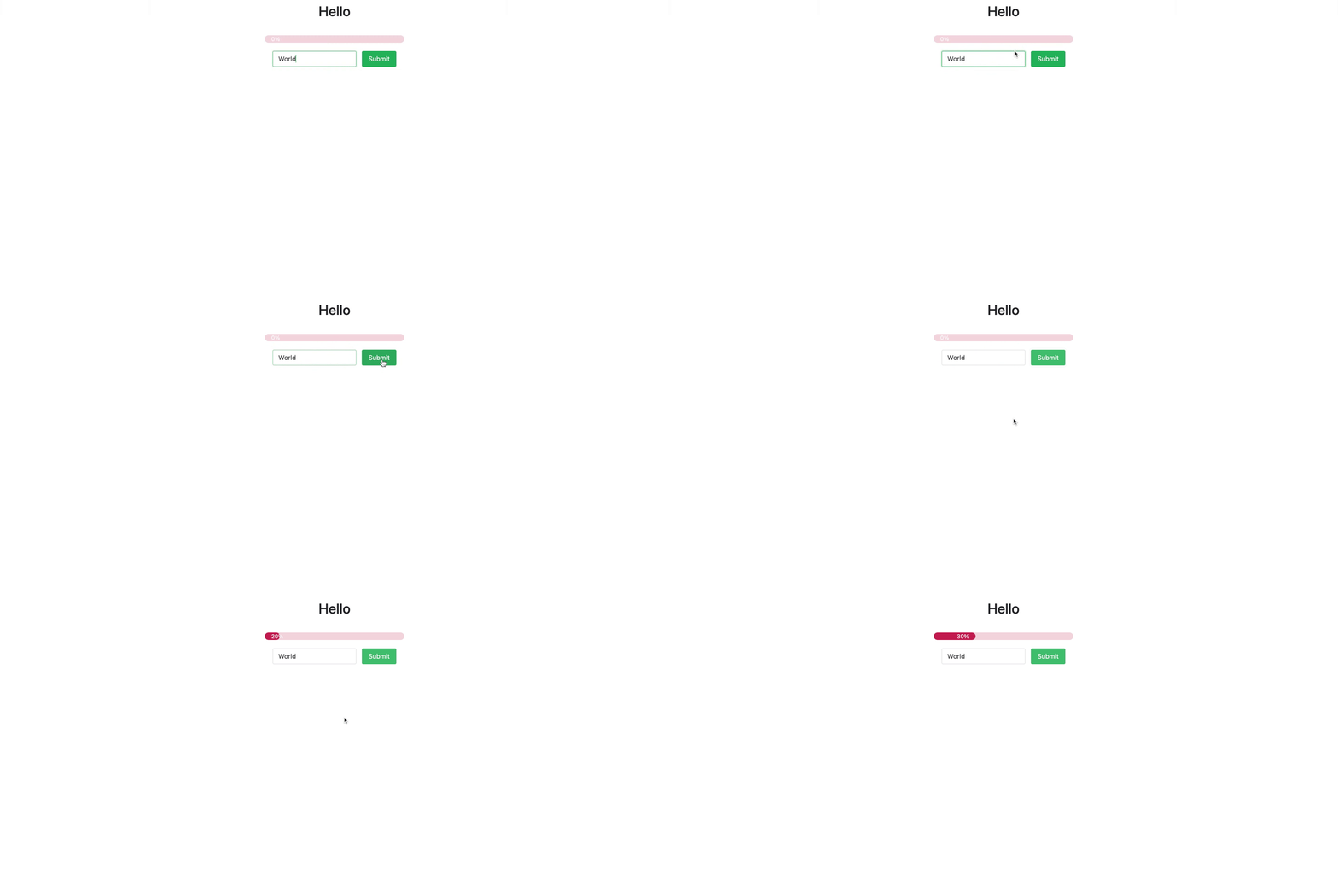
最终的效果如图所示:
这个动图没有录制完整,最终会到 100%。